Column Command
Overview
The “Column Command” adds a new IfcColumn instance to the model.
The column is created as an extruded solid. The profile selected in the “ProfileDef”
property is extruded upwards from the point you specify, and the extrusion length is
given by the “Height” property. The new column is added to the building storey selected
in the “Storey” property.
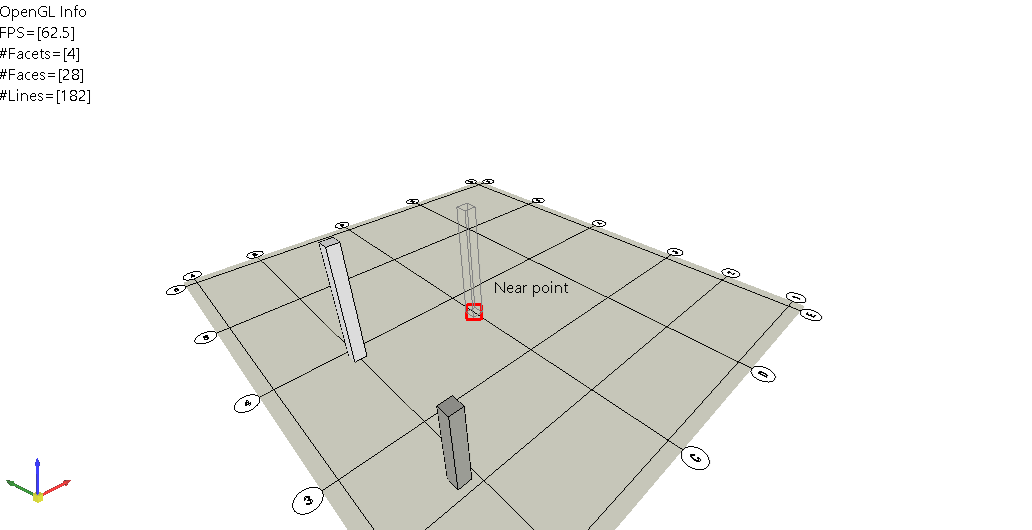
Specifying the placement point in the 3D view. The marker shows the “Near point” object
snap picking up a point on a grid line.
The command can be started in any of the following ways:
- Click the “Column” button on the Elements panel of the Home tab.
- Right-click an IfcProfileDef node in the tree view and choose “Column” from the
context menu. The profile you right-clicked is used for the new column. - Enter “_CliCmdCreateBuildingElementColumn” (or its alias “column”) in the prompt window.
Usage
Here is an explanation of how the “Column Command” is typically used:
-
Start the command. The Property View switches to the settings of the command.
-
Check the settings in the Property View and change them if necessary. At least
“ProfileDef” and “Storey” must be set, otherwise the command reports an error. -
Specify the placement point when the prompt “Position” is displayed. The column is
created at that point and the #id of the new instance is printed in the prompt window. -
Continue specifying points to place further columns. Press Esc to finish the command.
The settings you used are stored, so the next time the command is started the same
profile, storey and height are offered again.
Controls
| Control | Description |
|---|---|
| ProfileDef | Select the IfcProfileDef used as the section of the column |
| Storey | Select the IfcBuildingStorey the column is added to |
| Height | Specify the extrusion length of the column. The default value is 4000.0 |
| Org | Shows the placement point specified in the view |
| Name | Specify the name of the IfcColumn |
| Description | Specify the description of the IfcColumn |
| Tag | Specify the tag of the IfcColumn |
| ObjectType | Specify the object type of the IfcColumn |
| Ownerhistory | Select the IfcOwnerHistory of the IfcColumn |
| ContextOfItems | Select the IfcRepresentationContext used by the shape representation |
| Globalid | Specify the GUID of the IfcColumn |
Messages
The following messages are displayed in the prompt window when the input is not valid.
| Message | Description |
|---|---|
| The Height value must be greater than 0.0. | The “Height” property is 0.0 or a negative value |
| The input value “ProfileDef” is null. | No IfcProfileDef is selected |
| The input value “Storey” is null. | No IfcBuildingStorey is selected |
Command Name
_CliCmdCreateBuildingElementColumn
Alias
column